Billing & subscription
BuddyStall for Franchisors is a monthly subscription. The Billing tab on your Account settings page shows your current plan, when and how much you'll be billed next, any invoice waiting to be paid, and a history of past invoices.
Your plan and trial
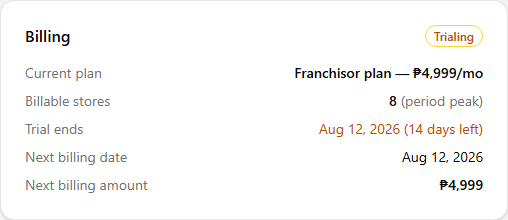
New accounts start on a free trial. While you are trialing, the Billing card shows your trial end date and how many days are left — you are not charged until the trial ends.
How your monthly amount is set
As a rule, what you pay each month follows how many stores are connected to your franchises — the bigger your network, the more you pay. The actual figures behind that are set by your agreement.
Each billing period runs from one billing date to the next — about 1 month — and you're billed in advance for the upcoming one. The store count used is your peak: the highest number of active (not archived) stores across your network during the period that just ended. If your network grew that month the next invoice reflects the higher count; if it shrank, the lower one.
The Billing card always shows the result: your billable stores for the period, the next billing date, and the next billing amount.
Paying an invoice
When a payment is due, an invoice appears in the Billing card and the status changes to Payment due. We also email you the invoice — with the amount, reference code, and GCash payment details — so you know a payment is due even when you're not signed in. Payment is made by GCash. The invoice shows everything you need:
- Amount due and the period it covers.
- A Reference code — a short code that identifies this invoice. It also appears in the invoice email and in Billing history, so you can quote it if you ask us about a payment.
- Pay to (GCash) — the number and account name to send to. A QR code may be shown that you can scan in GCash.
- Pay by — the date the payment is due.
To pay:
- Send the Amount due by GCash to the number shown.
- In GCash, open the transfer receipt and copy its reference number (Ref. No.).
- Select I've paid via GCash and enter that number.
- The card then shows Payment reported — pending confirmation until we confirm it. Once confirmed, the invoice becomes Paid.
GCash often does not show us the message you typed with a transfer, so we match payments by the reference number on your receipt. If you send the money but never report that number, your payment can stay unconfirmed.
Subscription status
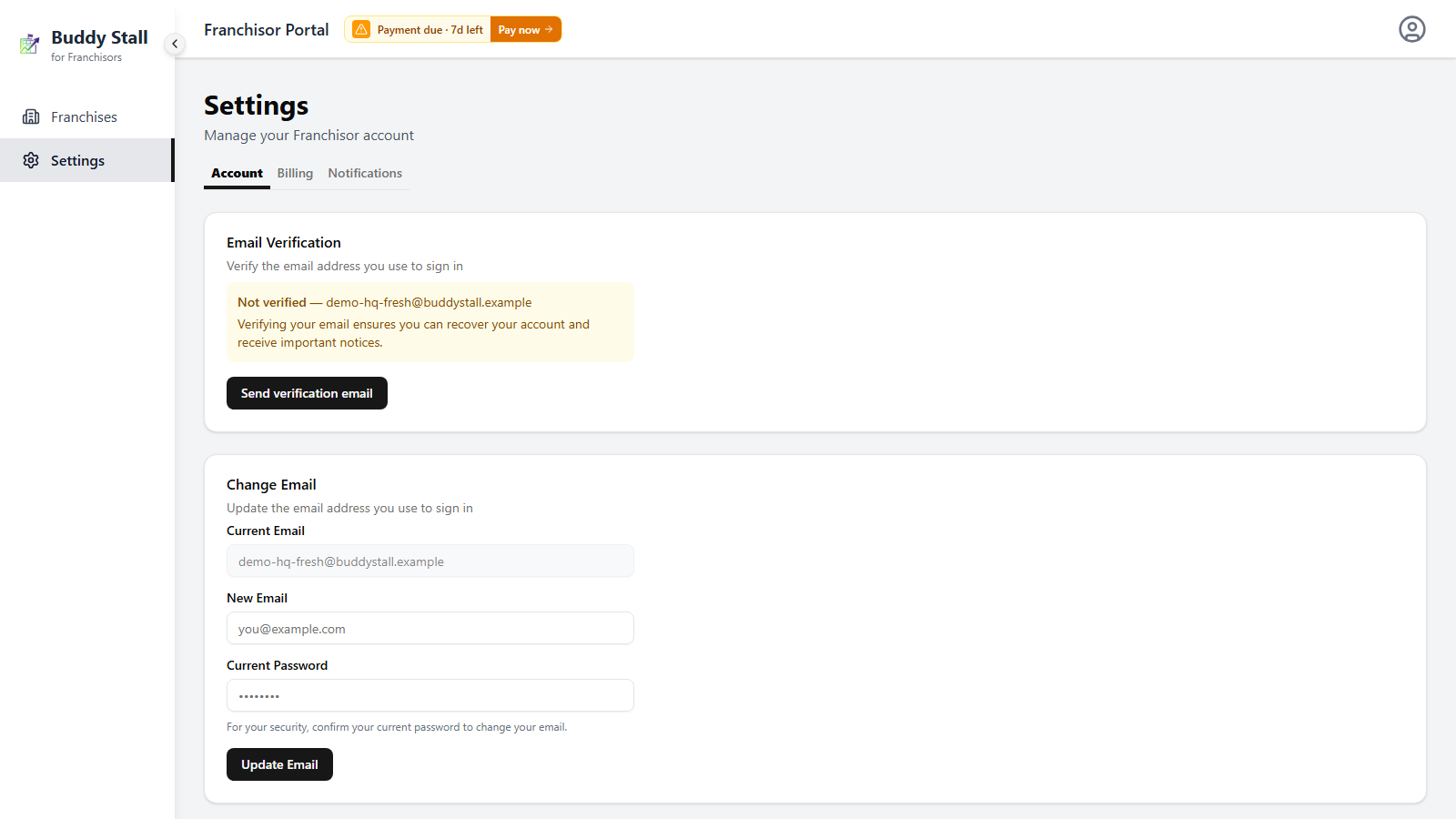
Your subscription moves through a few states, shown as a badge on the Billing card and mirrored by a small billing tag at the top of the Franchisor console, next to the page title (which links straight to the Billing tab):
- Trialing — on the free trial.
- Active — paid and up to date.
- Payment due — an invoice has been issued. You have a 7-day grace period to pay, during which you can keep using everything as normal. The billing tag counts down the days left in that window.
- Locked — if the invoice stays unpaid after the 7-day grace period, the console becomes read-only: you can sign in and view your data, but you cannot make changes until you pay.
- Canceled — the subscription has ended.
When everything is paid and current (Active), the billing tag is hidden — it only appears once a payment needs your attention.
Paying the open invoice returns the account to Active.
Billing history
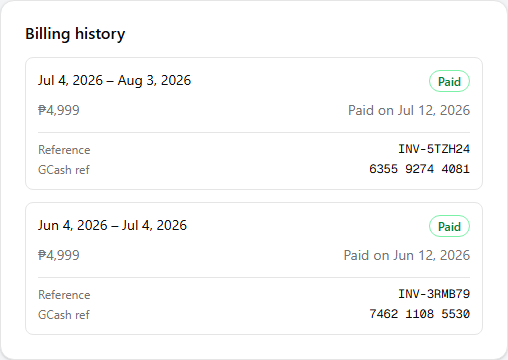
Below the billing card, Billing history lists your past invoices — the period each covers, the amount, the status (Open, Paid, or Void), and the date it was paid on. It is read-only, so you always have a record of what you've been charged.
Each entry also carries the two reference numbers for that invoice:
- Reference — the reference code for that invoice, the same one shown on the invoice and in its email.
- GCash ref — the reference number of the transfer itself, the one you reported when you paid. Use it to match an invoice against your GCash transaction history.
Both are shown as — when there is nothing to show yet: an invoice you haven't paid has no GCash ref, and neither do payments we confirmed before we started recording it.